How-to · Facade
How to run maintenance jobs end to end
Maintenance is the planned work sibling of inspection. Follow a Facade window-cleaning job on the Demo Commercial Tower from create through field execution patterns.
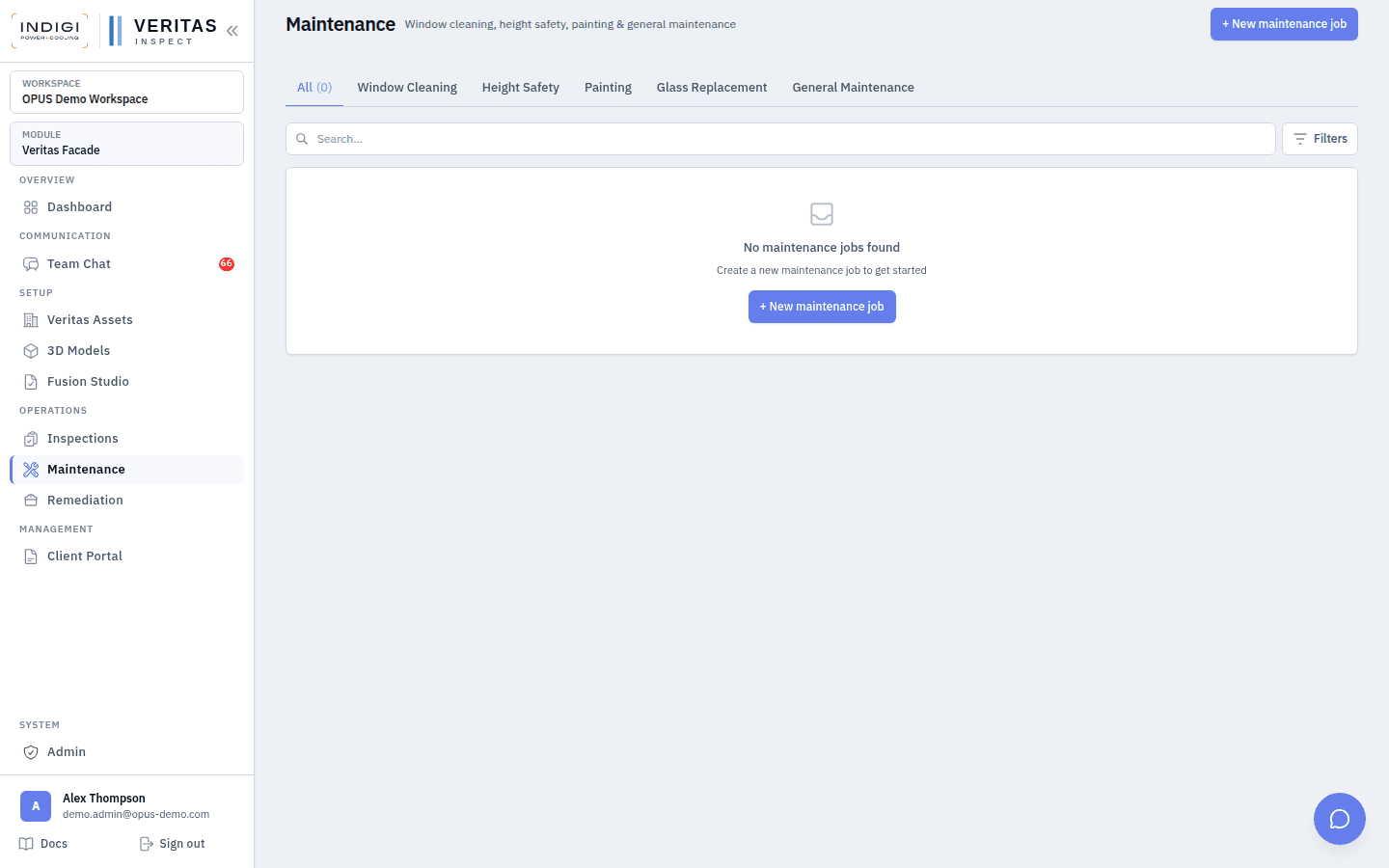
Maintenance jobs cover planned works: window cleaning, painting, glass replacement, height safety, and general maintenance on Facade, plus UPS/CRAC/HVAC style jobs on MEP. The job record mirrors inspections: status lifecycle, schedules, day dockets, safety, and optional defect capture when issues are found during the visit.
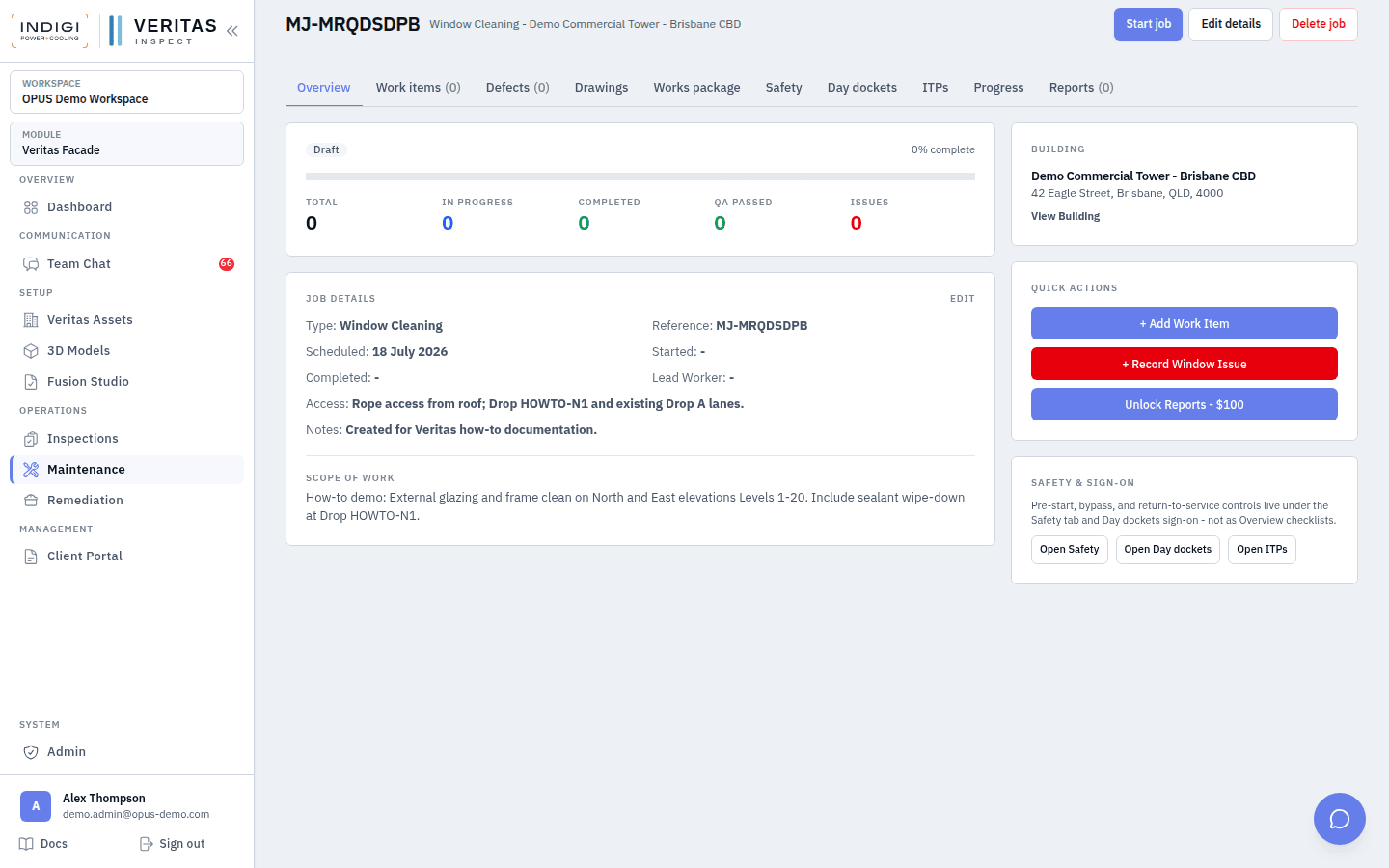
For this how-to we created a window_cleaning job on Demo Commercial Tower with rope-access notes referencing Drop HOWTO-N1, then opened it in the Facade Maintenance module.
Step-by-step
- 1. Create the maintenance job
From Operations → Maintenance, create a job. Set building, job type, scheduled date, scope of work, and access notes. Reference numbers are generated (for example MJ-MRQDSDPB). New jobs often start in draft until scheduled or started.
- 2. Attach access and safety context
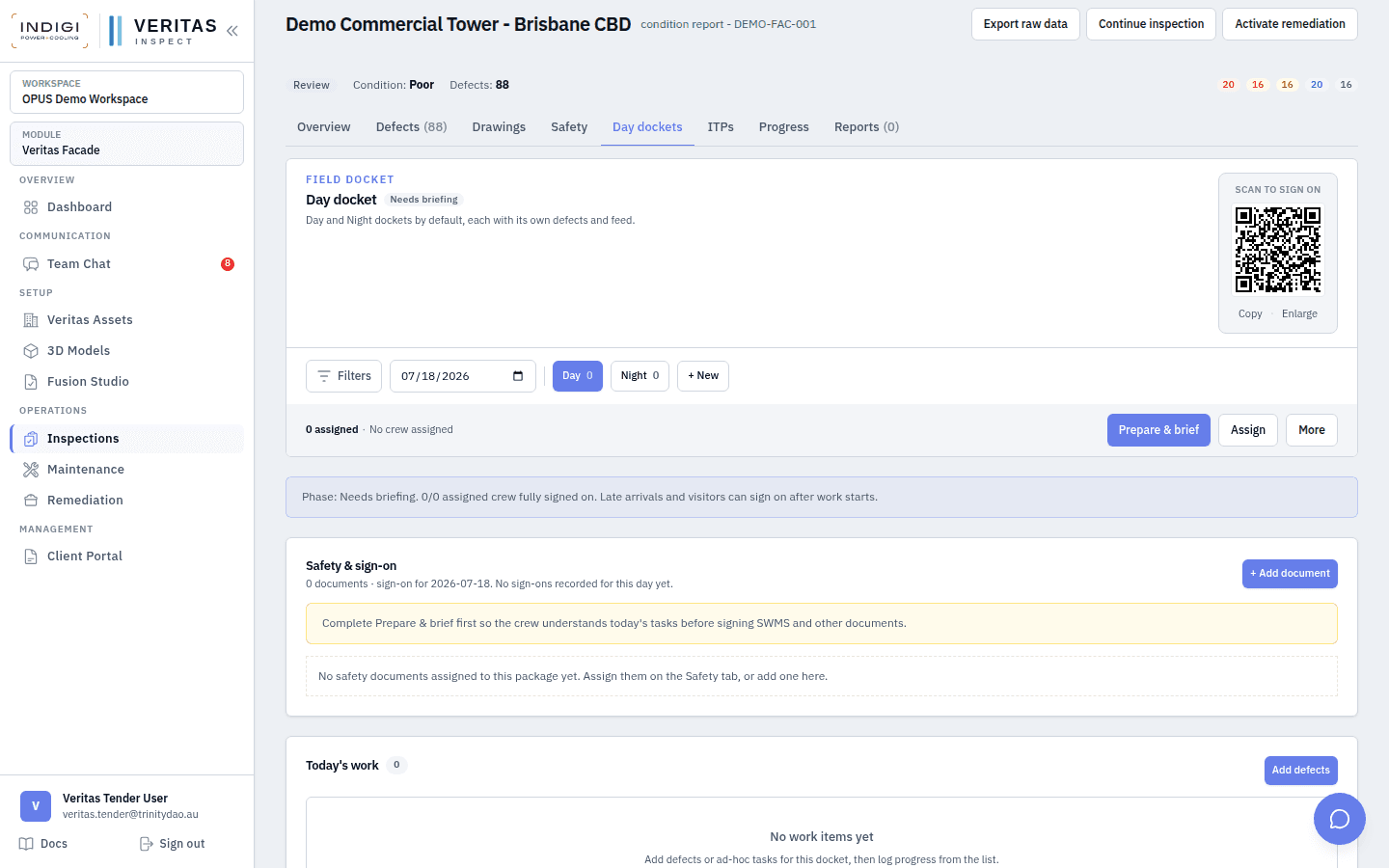
Link the drops and elevations the crew will use. Assign SWMS/JSA on the Safety tab the same way you would for an inspection. Prepare day dockets for the work date before mobilisation.
- 3. Schedule and assign workers
Add schedules and lead/worker assignments. Conflicts with other facade or MEP jobs on the same people surface through team availability tools used across Veritas.
- 4. Execute via day dockets
On site, run Day/Night dockets: brief, assign, QR sign-on, work items, feed. If cleaners or technicians find envelope damage, add defects against the maintenance job so remediation can pick them up later.
- 5. Review, complete, and approve
Move status through in progress → review → completed / approved. Capture overall assessment and costs if your commercial process requires it. Payment status fields support billed works where Stripe is configured.
In the product
Screens from the OPUS Demo walkthrough
Best practices
- Write scope of work as the crew brief, not marketing copy. Include elevations, levels, and drop names.
- Reuse building drops. Do not invent parallel lane names on the maintenance job alone.
- Capture incidental defects during maintenance. Waiting for the next audit loses make-safe time.
- Keep Facade maintenance and MEP servicing in their modules, but use the same docket discipline.
- Close dockets daily even on multi-day cleans so attendance and photos stay date-accurate.
See it on a live demo workspace
Book a walkthrough of OPUS Demo and we will run defects, drops, dockets, maintenance, and remediation on real projects.