How-to · Facade
Remediation projects end to end
From defect register to remediation package RP-029 on the OPUS Demo tower: select defects, activate the package, manage repairs, and close the loop.
Remediation turns inspection findings into a works package. Defects stay the source of truth; the package groups them, tracks repair status, contractors, quotes, drawings, and verification.
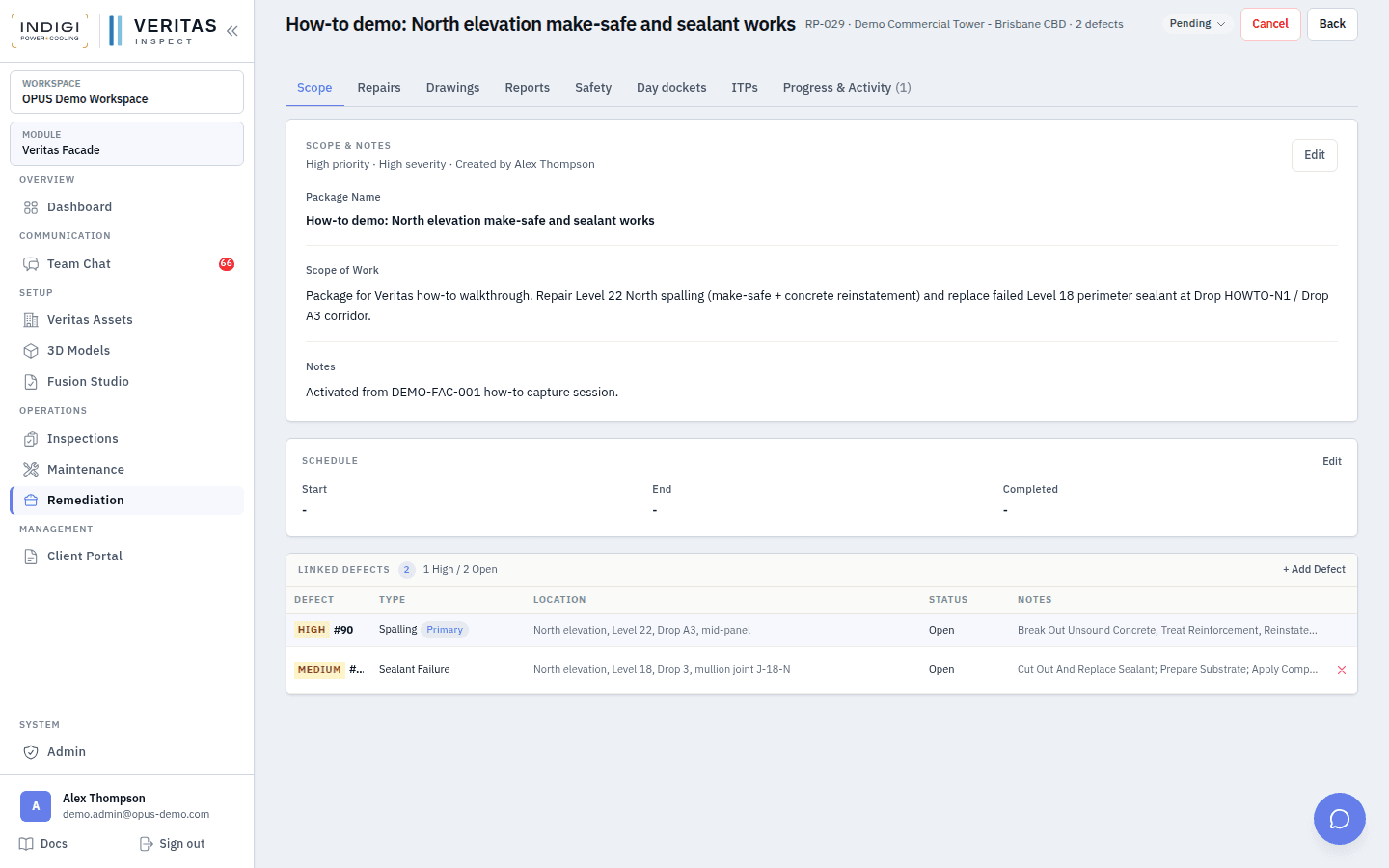
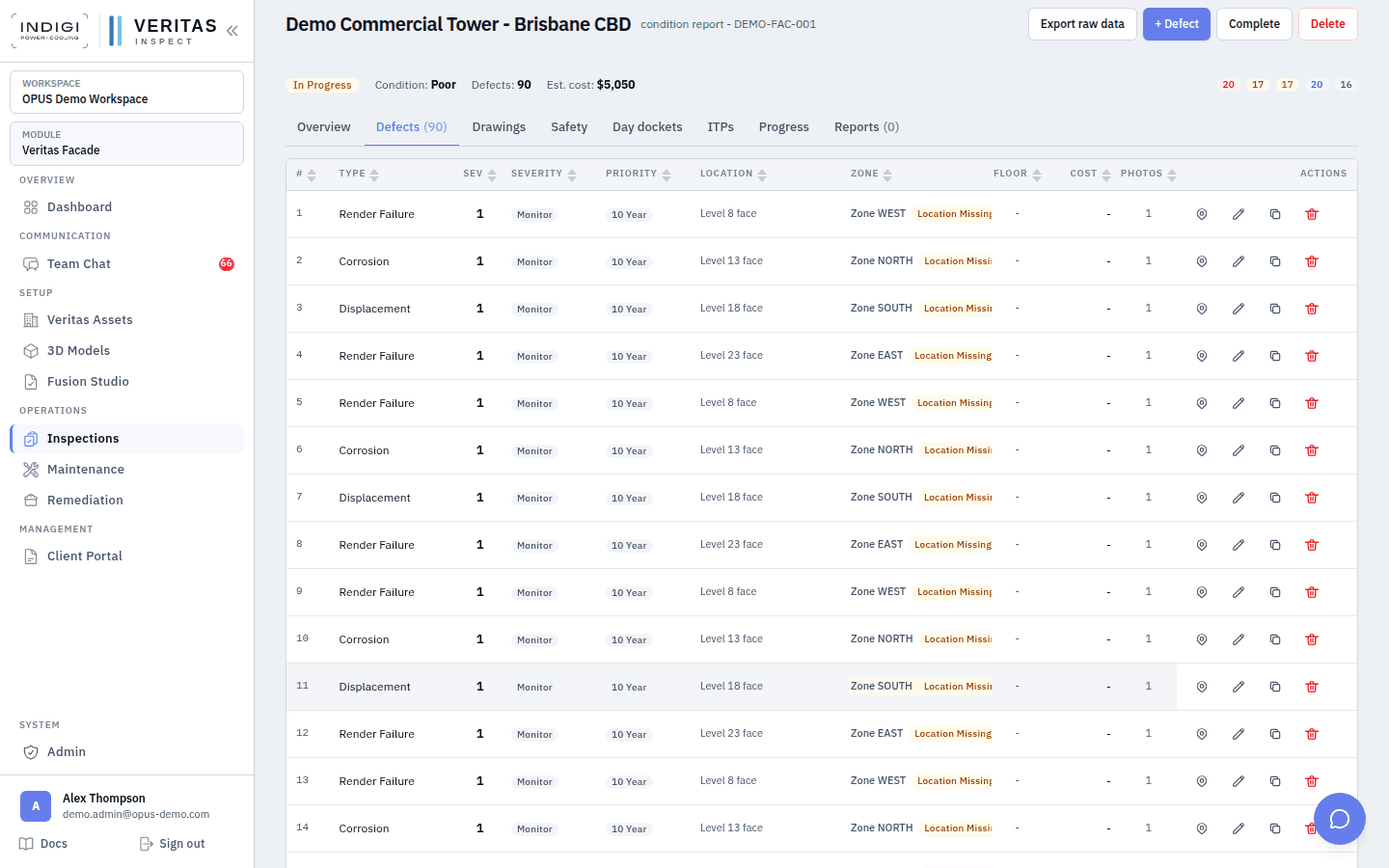
On OPUS Demo we captured sealant failure (#89) and spalling (#90) on DEMO-FAC-001, then created package RP-029 covering both defects with a North elevation make-safe and sealant scope.
Step-by-step
- 1. Finish capture and move to review
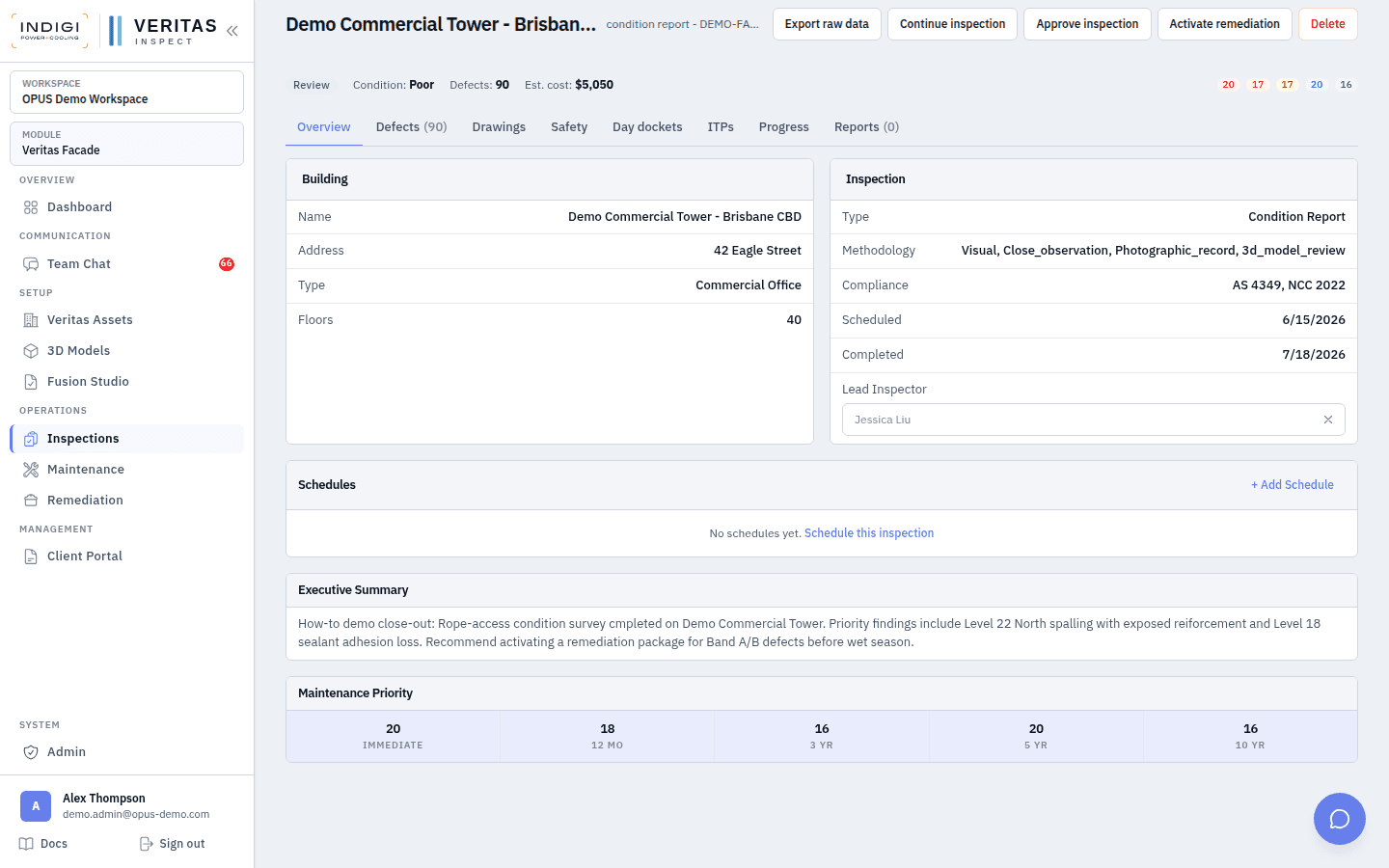
Complete the inspection (overall condition + executive summary). Status returns to review. Header shows Activate remediation when defects exist and status is review, approved, or published.
- 2. Open Activate remediation
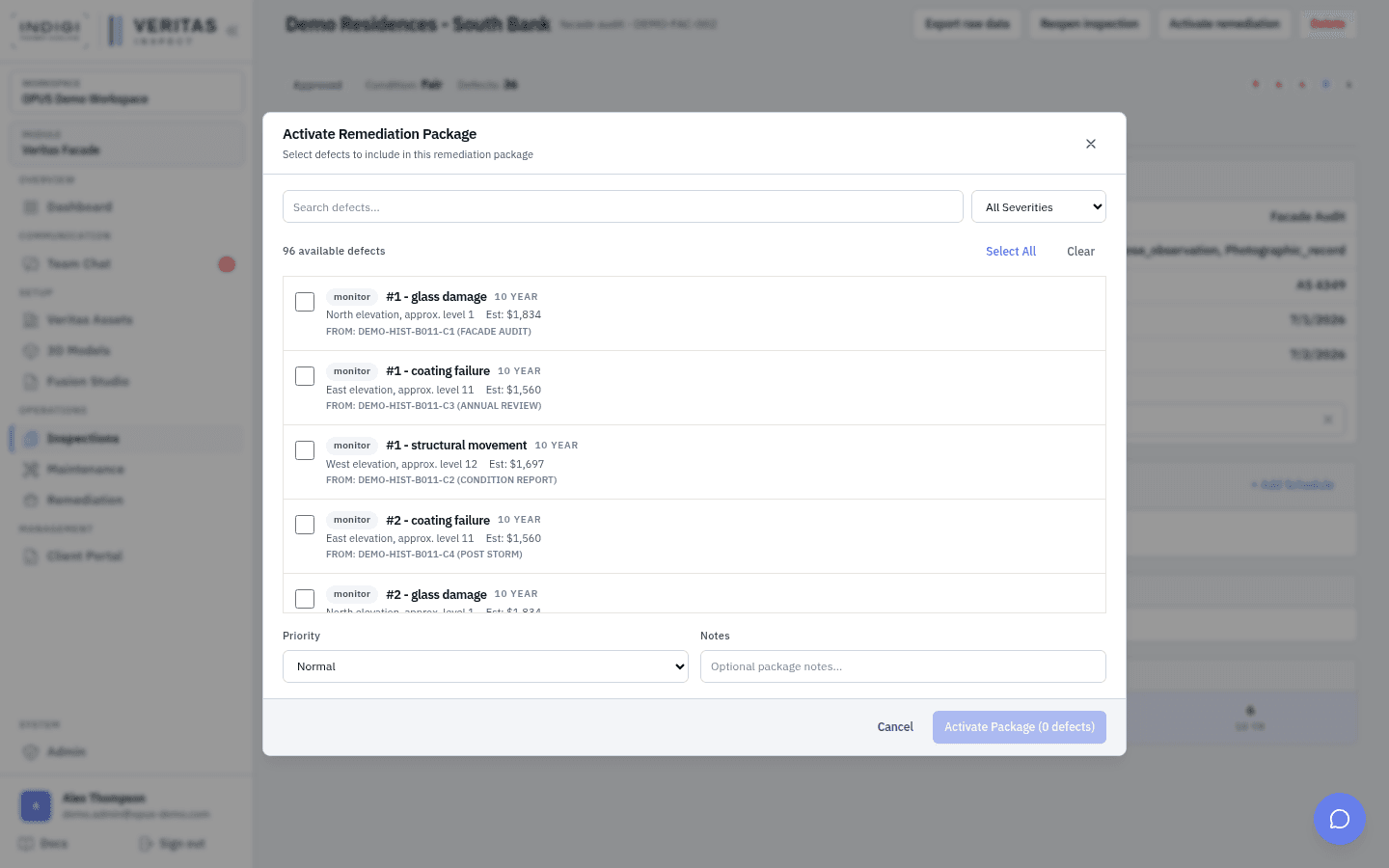
From the inspection header, click Activate remediation. The modal lists building defects available for packaging. Filter by severity, search, and select one or more open defects. Set package priority and notes.
Tip: Defects already on an active package are blocked. Cancel or complete the old package first if you need to regroup.
- 3. Create the package
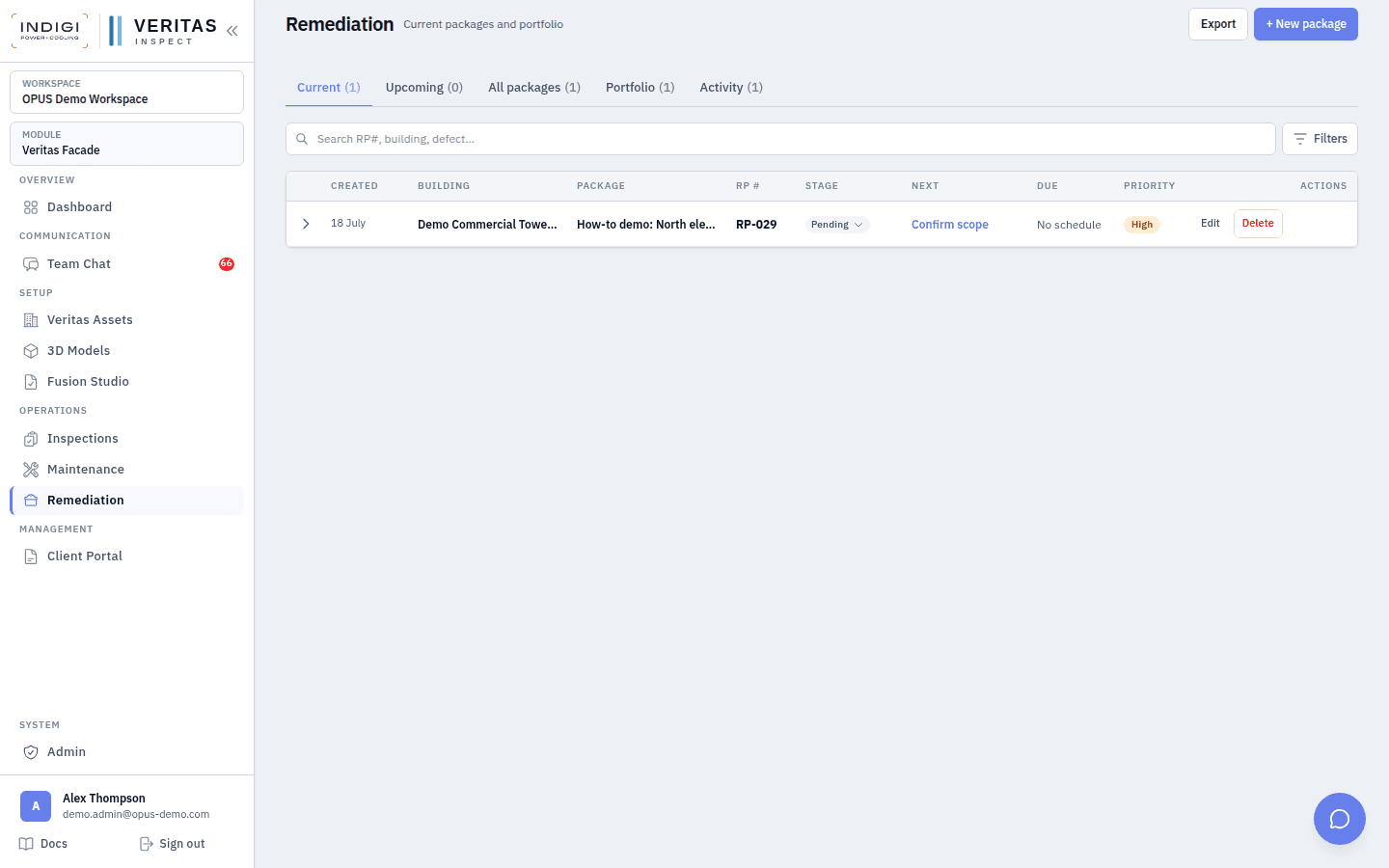
Confirm selection. Veritas creates a remediation task (work order) with a work order number (RP-029), links defects, and seeds repair rows per defect. You land on the package detail page.
- 4. Scope, contractors, and drawings
Edit package name, scope of work, contractor, quotes, and linked elevation drawings. Import or upload marked sheets that show repair extents. Keep scope aligned to the defect register so QA can verify line by line.
- 5. Execute repairs and updates
Move each defect repair through pending → in progress → completed, with before/after evidence. Post package updates for site progress. Day dockets can still run on related access packages when crews are on ropes.
- 6. Verify and close
Verify repairs, reject with reason when quality fails, and close the package when all linked defects meet the acceptance criteria. Reports and client portal views reflect the closed loop back to the original inspection.
In the product
Screens from the OPUS Demo walkthrough
Best practices
- Package by access and trade, not by every single cosmetic item. Band D monitoring stays on the register.
- Keep make-safe defects in an urgent package separate from long-horizon coating programmes.
- Never delete defects to “clean” a package. Cancel or complete the package and leave audit history intact.
- Use the same severity language from inspection so owners see continuity from report to works.
- Sync OPUS project/task status when your tenant uses OPUS scheduling so field calendars stay aligned.
See it on a live demo workspace
Book a walkthrough of OPUS Demo and we will run defects, drops, dockets, maintenance, and remediation on real projects.